Wedding planning spreadsheet: the planner workbook
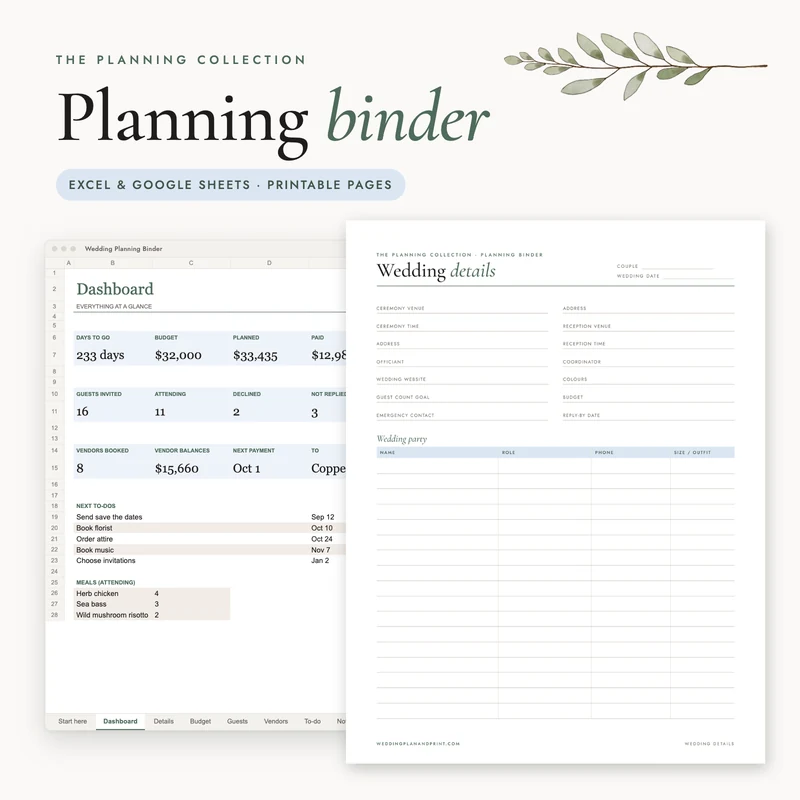
Our wedding planning spreadsheet keeps the whole plan in one file. A dashboard counts the days, the budget, the replies and the next payment, with tabs for details, budget, guests, vendors, to-dos and notes.
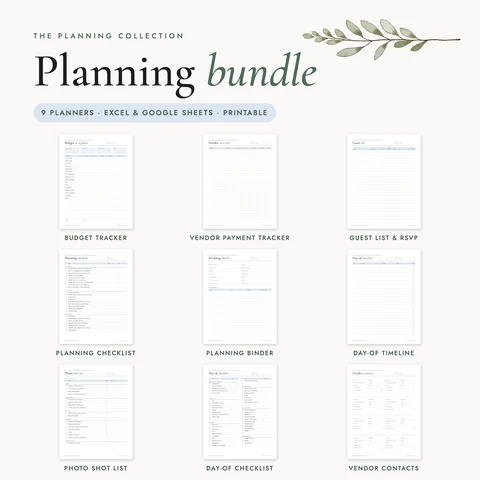
All nine planners for $25 The planning bundle. $45 for the five trackers bought separately.See the bundle
8 tabs
Dashboard, budget, guests, vendors, to-dos
Excel and Google Sheets
Fonts Georgia and Arial, nothing to install
US Letter and A4 pages
Printable PDFs and 300 ppi JPGs
Blank file and filled example
Each set up for Letter and A4
What you get
What is in the planner workbook?
The planner workbook is one spreadsheet for Excel and Google Sheets with eight tabs, from a dashboard to notes. You get a blank file and a filled example, each set up for Letter and for A4. Printable pages for US Letter and A4 come with it, plus JPGs and a start guide.
White cells are typed in, sand cells calculate and pale blue cards summarize. Every sheet has a title block, a frozen header row, filter buttons and drop-down lists. Overdue items are marked. Every state is also written in words, so the sheet reads in black and white.
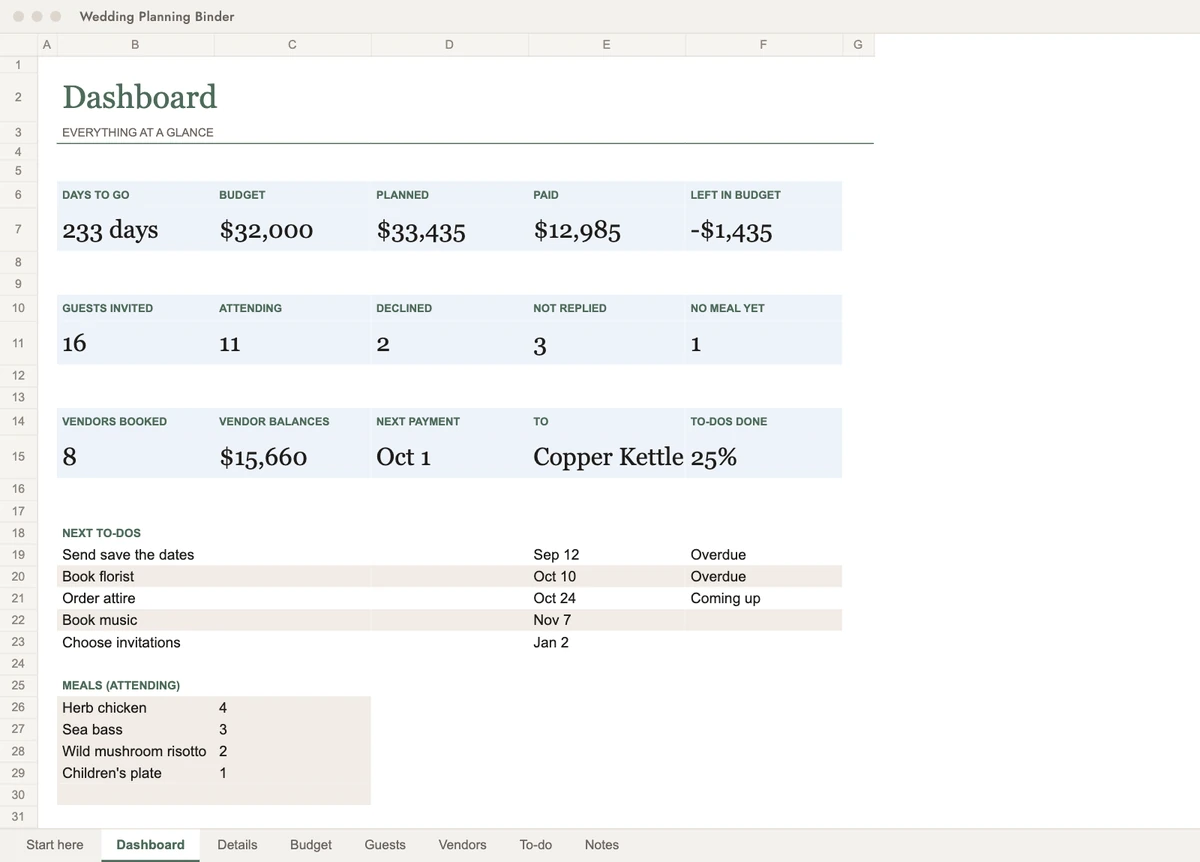
A dashboard with the days to go and the budget planned, paid and left. Replies, meals, vendor balances and the next payment. The percent of to-dos done and the next five to-dos.
Printable pages
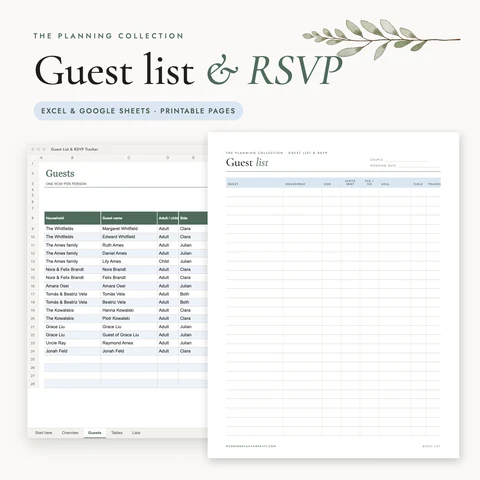
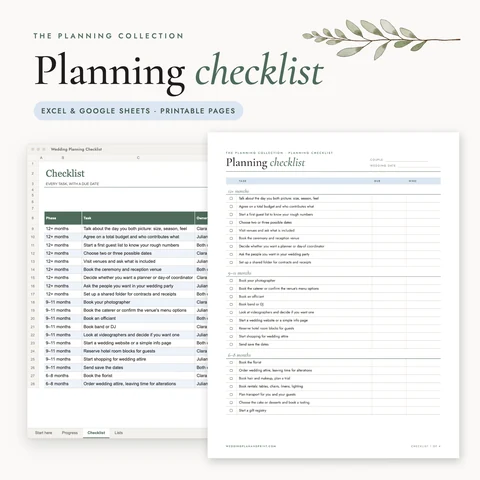
Cover, wedding details, budget overview, guest list, vendor contacts, to-do, month at a glance, notes. They come on US Letter and on A4, each built for its paper size.
Files
Blank .xlsx and a filled example (Letter print setup), the same two set up for A4, printable PDFs for Letter and A4, JPGs of every page at 300 ppi, and START-HERE.pdf.
Opens in
Excel and Google Sheets. Fonts are Georgia and Arial, so nothing has to be installed.
Use
Personal use; no resale.
Good to know
A wedding planner spreadsheet with a dashboard
The dashboard shows days to go and the budget planned, paid and left. It also shows replies and meals, vendor balances and the next payment. The share of to-dos done and the next five to-dos sit at the bottom. It reads from the other tabs as you fill them in.
A wedding planner Excel template with eight tabs
The eight tabs are Start here, Dashboard, Details, Budget, Guests, Vendors, To-do and Notes. White cells are typed in, sand cells calculate and pale blue cards summarize. The fonts are Georgia and Arial, so nothing has to be installed.
Printable pages from the wedding planning sheet template
The workbook also comes as printable pages for US Letter and A4. You get a cover, wedding details, a budget overview, a guest list, vendor contacts, a to-do page, a month at a glance and notes.
An organizer for wedding planning that keeps its dates up to date
Countdown, due dates and overdue flags follow today’s date. Every state is also written in words, so the sheet reads in black and white too.
What to include in a wedding planning spreadsheet?
A wedding planning spreadsheet should hold the details of the day, the budget, the guest list, the vendors with their payments, and a to-do list. A dashboard then sums them up. Those are the tabs of our workbook.
How to make a wedding planner in Excel?
A wedding planner in Excel can be built from scratch or started from a template. Our workbook has the tabs, drop-down lists, formulas and conditional formatting set up. A filled example shows how it works.
Can I use Google Sheets for wedding planning?
Yes, our planner workbook works as a spreadsheet for Excel and Google Sheets. The start guide explains how to open it in both. Its fonts are Georgia and Arial, so nothing has to be installed.
How to make a wedding list in Excel?
A wedding list in Excel works best with one row per item and a column for its status. Our workbook has a Guests tab and a To-do tab set up that way, with drop-down lists and totals on the dashboard.
Is there a free Excel wedding planner available?
Our free download is a day-of timeline spreadsheet, not the full planner. The planner workbook is $9, and all nine planners in the planning bundle are $25.
What is the most expensive part of a wedding?
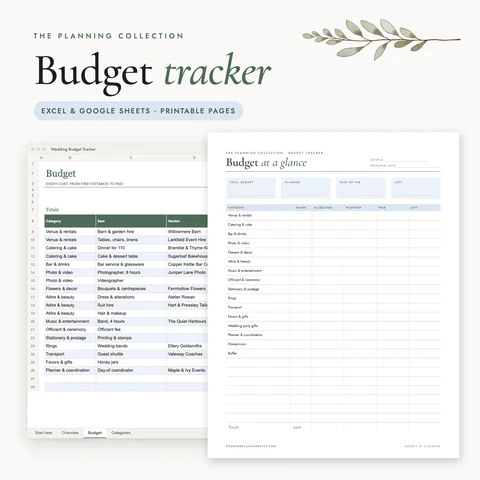
For most couples the venue and catering take the largest share of the budget. The Budget tab of our workbook shows each cost planned, paid and left, so the big items stay in view.